
Flutter for web app development means using Google's Flutter framework and the Dart language to build an application that runs in the browser, from the same codebase as your iOS and Android apps. Flutter is a good fit for interactive, app-like products such as dashboards, SaaS tools and web companions to mobile apps. It is a poor fit for content sites that depend on organic search traffic.
The reason is how Flutter works on the web. It draws every pixel itself on a canvas instead of building standard HTML pages. That gives you consistent visuals and one codebase, but it costs you crawlability, bundle size and some browser-native behavior.
This guide covers why teams choose Flutter for the web, where it falls short, which projects suit it and how to start. At Eagle Technologies we build cross-platform apps in Flutter and web apps in React, Angular, Vue and Next.js, so the comparison below comes from choosing between them, not from selling one.
Why Flutter is attractive for web apps
Flutter earns its place on the web with one codebase, identical visuals in every browser and smooth, animation-friendly rendering. Those benefits matter most when your product is an application rather than a document.
One codebase across mobile and browser
Flutter lets you ship one Dart codebase to iOS, Android and the browser. Business logic, API clients, state management and many screens are written once. If your team already builds Flutter mobile apps, a web version is usually an extension of that work, not a second project.
That saves more than build time. Features stay in sync across platforms, and one bug fix lands everywhere. For a small team, that is the difference between maintaining one product and three.
Consistent visuals and smooth rendering
Flutter draws its own widgets instead of using the browser's form controls, so your interface looks the same in Chrome, Safari, Firefox and Edge. Custom charts, animations and drag-and-drop canvases behave predictably. Flutter can also compile to WebAssembly, which Flutter's own site positions for stable, 60fps performance in single-page apps, progressive web apps and complex web tools.
The developer experience is solid too. Hot reload on the web is available behind a flag, and the rest of the toolchain is the one you already use for mobile.
Flutter on the web works best when the product is an app first and a web page second.
Where Flutter for the web falls short
The real costs are weak search visibility, heavier first loads and a web experience that feels slightly off in places. None of these is fatal for an app, but each can sink a public website.
Search visibility is the biggest problem
Flutter paints your interface onto a canvas. There is no semantic HTML per page for crawlers to read, and no server-side rendering. Google can execute JavaScript, but a canvas gives it little text and structure to index. A blog, product catalogue or landing page built this way will struggle to rank.

This is why Flutter's own guidance points to web apps, not websites. Anything that needs organic traffic belongs in plain HTML.
Load time, accessibility and browser behavior
Four limits show up in real projects:
- Initial load. The Flutter engine and your compiled app download before the first screen appears, which is heavier than a typical HTML page. Deferred imports let you split rarely used features out of the first download.
- Accessibility. Screen reader support depends on a semantics layer that Flutter builds for you. Test it with real assistive tools, not assumptions.
- Browser feel. Text selection, right-click menus, find-in-page, autofill and scrolling can behave differently from a native web page. Users tend to notice the scrolling first.
- Packages. Not every pub.dev package supports web, so check platform support before you commit to a dependency.
If a page needs to rank on Google, build it in HTML, not Flutter.
Best use cases for Flutter web apps and when to skip it
Flutter suits products that people open on purpose, often behind a login. It does not suit pages that strangers must find through search.
Project fit at a glance
| Project type | Flutter web fit | Reason |
|---|---|---|
| Web version of an existing Flutter mobile app | Strong | Shared logic, models and many screens |
| Internal dashboards and admin tools | Strong | No SEO need, rich interaction |
| SaaS products behind a login | Good | App-like screens, one team |
| Interactive tools, editors, data visualizations | Good | Custom drawing and smooth animation |
| Progressive web apps | Good | Installable, app-like behavior |
| Marketing sites and blogs | Poor | Needs crawlable HTML |
| Ecommerce catalogues | Poor | Needs organic traffic and fast first paint |
A worked example
Say you run a field-service app in Flutter on Android and iOS, and dispatchers now want a browser dashboard. You can reuse the data models, API client, authentication and state management. You build only the wide-screen layouts and the keyboard and mouse handling. A separate React project would mean rewriting everything.

What to use for the rest
For public, search-driven pages, choose React with Next.js, Angular or Vue, which can render real HTML on the server. A common pattern is a Next.js marketing site on your main domain and the Flutter app on a subdomain such as app.yourdomain.com. You get rankings where they matter and one codebase where it pays off.
Use Flutter for the product behind the login and HTML for everything a search engine must read.
How to start building a Flutter web app
You can have a Flutter web app running in minutes. The harder work is making it behave like a web product, with real URLs, responsive layouts and a sensible bundle.
Set up and run your first project
Install the Flutter SDK and Chrome, then run these commands:
flutter doctor
flutter create my_web_app
cd my_web_app
flutter run -d chrome
flutter doctor confirms that Chrome is detected as a web device. flutter run -d chrome launches the starter app in the browser with a debug build.
Make it behave like a web app
Work through this list before you ship:
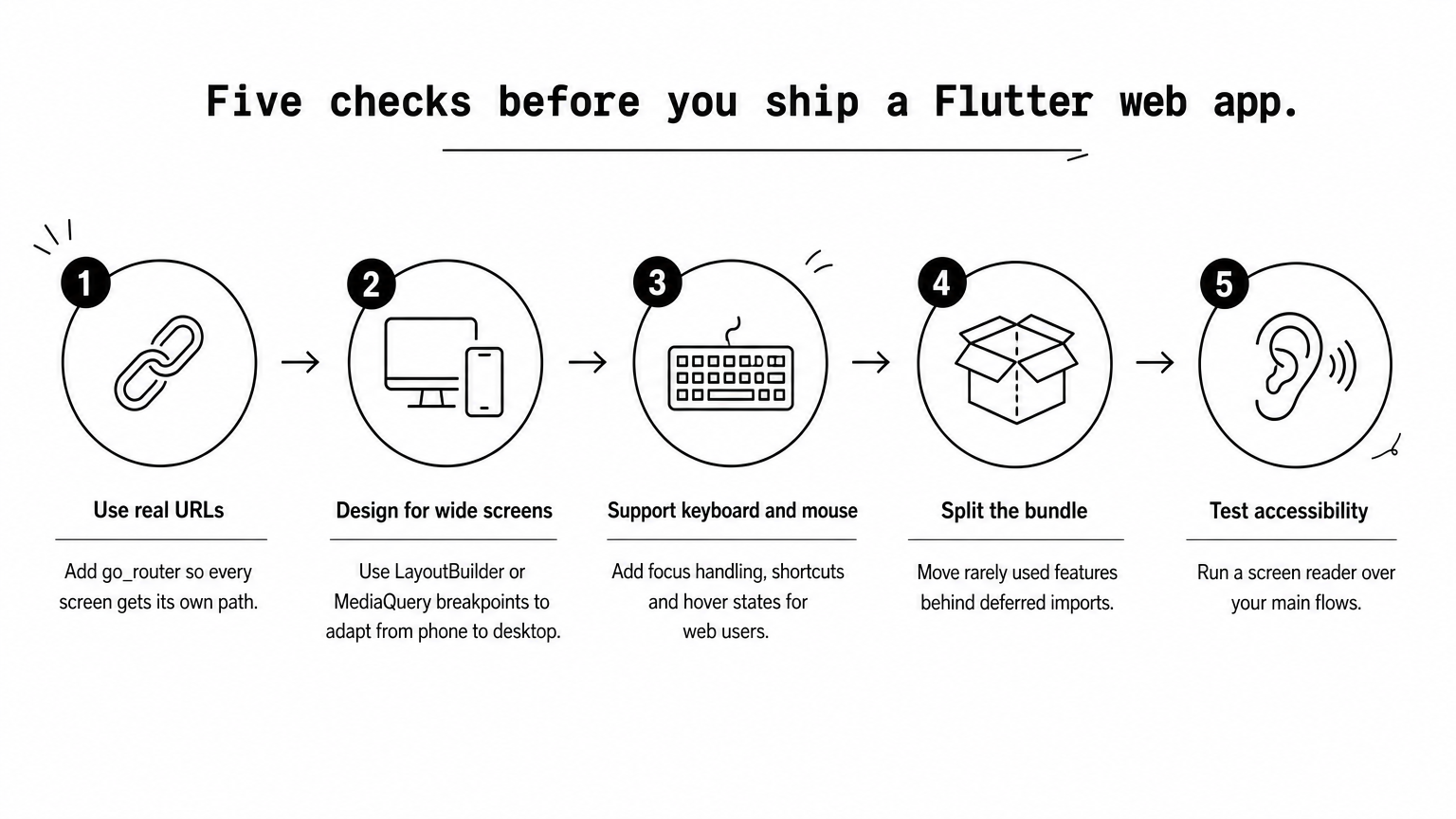
- Use real URLs. Add the go_router package so every screen has a path, and the back button and shared links work.
- Design for wide screens. Use LayoutBuilder or MediaQuery breakpoints so layouts adapt from phone width to desktop.
- Support keyboard and mouse. Add focus handling, shortcuts and hover states, since web users expect them.
- Split the bundle. Move rarely used features behind deferred imports to shrink the first download.
- Test accessibility. Run a screen reader over your main flows.
Build and deploy
flutter build web
The output lands in build/web, which is a static folder you can host on any static hosting service or CDN. Add the --wasm flag to build for WebAssembly, then test it in the browsers your users actually use.
Treat the web build as a product of its own, with its own URLs, layouts and performance checks.
Is Flutter right for your web project?
Flutter is a strong choice when you are building an interactive web app, especially one that shares a codebase with a Flutter mobile app. It is the wrong choice for a website that must win organic traffic, because canvas rendering gives search engines little to read. Match the tool to the job and you avoid most of the regrets.
If you are still unsure, run your project through the fit table above. Ask whether users log in, whether search traffic matters and whether you already have Flutter code to reuse. Those three answers settle most decisions.
If you want a second opinion, book a free strategy session with Eagle Technologies and we will help you choose between Flutter and a web-first stack for your project.